
Download Draw n Animate Your Digital Flip Book APK – Digital Flip Book, Art & Design, Animation Tool, Android App, Creative Drawing, GIF Export
Overview
Draw 'n Animate is a mobile application designed for users seeking a creative and interactive way to transform hand-drawn sketches into animated flip book sequences. Built specifically for Android devices, the app enables users to draw directly with their fingers, offering a tactile and intuitive experience. Its core purpose is to serve as a digital flip book platform where users can create, edit, and animate drawings frame by frame. The app is particularly suited for aspiring artists, hobbyists, and anyone interested in exploring basic animation techniques in a simple, accessible format.
Real-world usage scenarios include personal sketching sessions, classroom art projects, digital storytelling, and casual entertainment. The app supports continuous creation with unlimited drawing capacity, allowing users to build complex animations without constraints. It also facilitates the sharing of finished work as GIFs, enabling quick and easy dissemination across social media or messaging platforms. The developer, Draw n Animate, has positioned the app as a lightweight, user-friendly tool for creative expression on mobile devices.
While specific developer background details are not available, the app’s design suggests a focus on simplicity and accessibility. It does not require prior animation experience, making it suitable for beginners. The ability to track progress through swipe navigation and recover from mistakes even after closing the app adds to its usability. Overall, Draw 'n Animate bridges the gap between traditional sketching and digital animation in a compact, mobile-first environment.
Key Features & Capabilities
- Touch-Based Drawing Interface – Users can draw directly on the screen using their fingers, mimicking the experience of sketching on paper. This intuitive input method lowers the barrier to entry for non-professional artists.
- Frame-by-Frame Animation – Each drawing becomes a frame in a sequence, which can be played back as a smooth animation. This feature allows for precise control over motion and timing.
- Swipe Navigation Through Slides – A dedicated gesture enables users to scroll through individual frames, making it easy to review, edit, and refine animations in progress.
- Copy and Paste Slide Functionality – This feature streamlines workflow by allowing users to duplicate frames, reducing repetitive tasks and enhancing productivity during animation creation.
- Template Reuse from Previous Drawings – Users can base new animations on earlier sketches, promoting consistency in style and theme across multiple projects.
- Undo Functionality with Persistence – Even after closing the app, users can revert to previous states, minimizing the risk of losing work due to accidental errors.
- GIF Export Capability – Completed animations can be exported as GIF files, enabling seamless sharing on social platforms and messaging apps.
These features collectively support a creative workflow that emphasizes ease of use, iterative refinement, and quick sharing. For example, a student could use the app to create a short animated story for a school project, while a casual user might animate a funny doodle for friends. The combination of touch input, frame control, and export options makes it a versatile tool for both playful and purposeful digital art creation.
User Interface, Workflow & Performance
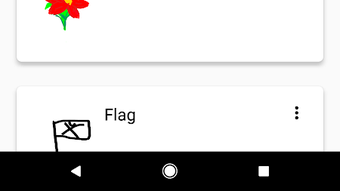
The user interface of Draw 'n Animate appears to be designed with simplicity and clarity in mind. Based on available information, the layout likely centers around a central canvas area where drawings are made, flanked by navigation tools such as playback controls, frame management buttons, and export options. The swipe gesture for navigating through frames suggests a gesture-driven interface that minimizes reliance on complex menus.
Workflow efficiency is enhanced by the copy/paste and template reuse features, which reduce the need for repetitive drawing. The ability to undo mistakes even after app closure indicates a robust state management system, which contributes to a more forgiving user experience. However, exact performance details such as frame rate stability, memory usage, or CPU load were not specified by the developer.
General performance behavior is expected to align with typical Android applications of similar scope. Given the app’s size of 32.5 MB, it is likely optimized for devices with moderate processing power and RAM. The developer did not provide additional system requirements, so compatibility with older Android versions cannot be confirmed. Stability during extended drawing sessions or large animation projects is not documented, but the persistence of undo functionality suggests a reliable underlying architecture.
Compatibility & System Requirements
Draw 'n Animate is designed to run on Android operating systems. The app’s version is listed as 1.0.1, and it has a file size of 32.5 MB, indicating a lightweight installation footprint. This suggests it is suitable for a wide range of Android devices, including entry-level smartphones and tablets.
However, exact system requirements such as minimum Android version, RAM, or processor specifications were not provided by the developer. Platform compatibility information is limited to the OS designation, leaving users without clear guidance on device suitability. The developer did not specify whether the app supports tablet modes, split-screen usage, or high-resolution displays.
Users should verify compatibility with their specific device before installation. While the app is free to download, the absence of detailed hardware or software prerequisites means that performance may vary across different Android models. It is recommended to check the app’s official page or developer store listing for updated compatibility details.
Pros and Cons
Pros
- Intuitive touch-based drawing experience on Android devices
- Supports unlimited frame creation for long animations
- Swipe navigation enables smooth review and editing of frames
- Copy/paste feature improves workflow efficiency
- Template reuse helps maintain visual consistency across projects
- Undo function persists even after closing the app
- Exports animations as shareable GIFs
Cons
- Exact system requirements and supported Android versions not disclosed
- No information on performance under heavy animation loads
- Limited to Android platform; no availability on iOS or desktop
- Export options restricted to GIF format only
- Lack of advanced animation tools (e.g., tweening, layering)
FAQ Section
Is Draw 'n Animate compatible with all Android devices?
Compatibility is confirmed for Android OS, but specific device requirements such as minimum Android version or hardware specifications were not provided. Users should check the app’s official listing for updated compatibility details.
Is the app safe to download and use?
Draw 'n Animate is available as a free download from the Android platform. While the developer has not published security certifications, the app’s file size and source are consistent with typical mobile applications. As with any app, users should download from official sources to ensure safety.
Does the app require an internet connection?
The app functions primarily in offline mode, allowing users to draw, animate, and export content without an internet connection. Online features such as sharing are only needed during the export and distribution phase.
How often are updates released?
Version 1.0.1 is currently available. The frequency of future updates was not specified by the developer. Users should monitor the app’s store page for announcements regarding new features or improvements.
What type of license does Draw 'n Animate use?
The app is offered as a free download with no visible licensing terms. It does not appear to include subscription models or in-app purchases, though this may change in future versions.
Final Thoughts + CTA
Draw 'n Animate delivers a focused, accessible experience for users interested in creating digital flip book animations on Android. Its combination of intuitive drawing, frame-by-frame control, and persistent undo functionality makes it a standout tool for casual creators and beginners. The ability to export animations as GIFs enhances its practicality for social sharing, while features like copy/paste and template reuse improve efficiency.
While the app lacks advanced animation tools and has limited platform availability, its lightweight design and free access make it a compelling choice for those exploring digital art on mobile. It is particularly beneficial for students, educators, and hobbyists who value simplicity and creativity over professional-grade features.
With a clear purpose, straightforward workflow, and strong emphasis on user-friendly design, Draw 'n Animate stands out as a reliable tool for turning hand-drawn sketches into animated stories. Download Draw 'n Animate now and start creating your own animated flip book today.





.png)

